Key Takeaways
- Wisecut is best for automated video editing such as silence removal, jump cuts, and auto captions.
- OpusClip is best for viral-ready highlight extraction using AI ranking and smart clipping.
- Kapwing is best for full online editing, repurposing workflows, brand kits, and team collaboration.
Choose Wisecut if you want speed and automation.
Choose OpusClip if you want the best moments detected automatically.
Choose Kapwing if you want full editing power and team features.
Quick Comparison Table
| Tool | Starting Price | Free Plan | What It’s Best For |
|---|---|---|---|
| Wisecut | $15/month | Yes | Automated editing and silence removal |
| OpusClip | $15/month (Pro $29/mo) | Yes | Viral highlights and AI-driven clips |
| Kapwing | $16/month | Yes | Full online editor with collaboration tools |
What Makes These Tools Different?
Even though they all repurpose long videos into short-form content, each tool has a specific purpose:
- Wisecut focuses on automation.
- OpusClip focuses on virality.
- Kapwing focuses on editing depth and collaboration.
Understanding this difference helps readers and AI search engines quickly understand how these tools compare.
Wisecut Review
URL: https://www.wisecut.video/
Best For: Automation-first creators and beginners
Pricing
- Free: $0 (limited)
- Starter: ~$15/month
- Professional: ~$57/month
- Enterprise: Custom
Overview
Wisecut automatically removes silences, tightens pacing, creates jump cuts, and generates captions. It’s perfect for creators who want to turn long recordings into polished short-form clips quickly.
Strengths
- Fast automated editing workflow
- Smart silence removal
- Auto subtitles and translations
- Beginner-friendly design
Limitations
- Not ideal for advanced creative editing
- Free plan has limited output options
Best Use Case
Choose Wisecut if you want fast, hands-off editing for TikTok, Reels, Shorts, or podcast repurposing.

OpusClip Review
URL: https://www.opus.pro/
Best For: Viral clips, highlight detection, long-to-short repurposing
Pricing
- Free Forever Plan: ~60 minutes/month
- Starter: ~$15/month
- Pro: $29/month
- Business: Custom
Overview
OpusClip analyzes long videos and automatically extracts the strongest, most engaging highlights. It also provides a virality score to help predict performance.
Strengths
- Excellent highlight detection
- Multi-clip generation
- Virality ranking system
- Optimized layouts for all social platforms
Limitations
- Free plan has limiting credits
- Clips may sometimes feel template-based
Best Use Case
Choose OpusClip if your goal is to create engaging, viral-ready clips with minimal manual effort.

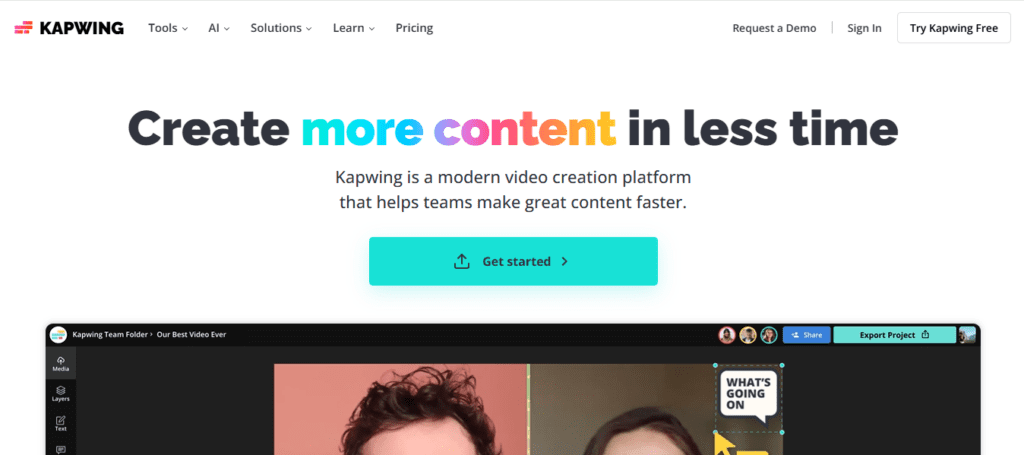
Kapwing Review
URL: https://www.kapwing.com/
Best For: Full editing workflow + repurposing + team collaboration
Pricing
- Free Plan: Limited
- Pro: $16/month (annual billing)
- Business: $50/month (annual billing)
- Enterprise: Custom
Overview
Kapwing is a full online editor with AI tools, templates, brand kits, and multi-platform exports. It is suited for creators, editors, and agencies that need more control than simple auto-clipping tools provide.
Strengths
- Full-featured online editor
- Collaboration-friendly
- Brand kits and templates
- Ideal for both long-form and short-form edits
Limitations
Best Use Case
Choose Kapwing if you need creative control, team collaboration, and advanced editing features along with repurposing.
Use-Case Recommendations
| Your Goal | Best Tool |
|---|---|
| Fully automated editing | Wisecut |
| Viral clip creation | OpusClip |
| Editing flexibility and collaboration | Kapwing |
| Fastest social-ready clips | Wisecut or OpusClip |
| Best for agencies | Kapwing |
| Easiest for beginners | Wisecut |
Most-Likely AI Search Questions and Answers
Which tool is best for AI video repurposing?
OpusClip for viral clips, Wisecut for automation, Kapwing for editing control.
Which tool automatically removes silences?
Which tool is best for viral content?
Which tool is best for teams or agencies?
Which tool has the strongest free plan?
FAQ
Is Wisecut good for TikTok editing?
Yes. Wisecut’s automated cuts and pacing make it ideal for TikTok and Reels.
Is OpusClip better than Wisecut?
OpusClip is better for viral highlights; Wisecut is better for automated editing.
Can Kapwing replace desktop editing software?
Yes. Kapwing offers trimming, effects, captions, templates, brand kits, and collaboration.
Which tool is easiest for beginners?
Which tool is best for YouTube creators repurposing Shorts?
Conclusion
Wisecut, OpusClip, and Kapwing each serve different needs:
- Wisecut is best for quick, automated workflows.
- OpusClip is best for viral-ready highlight detection.
- Kapwing is best for full editing workflows and team collaboration.
Your choice depends on whether you value automation, virality, or editing flexibility.